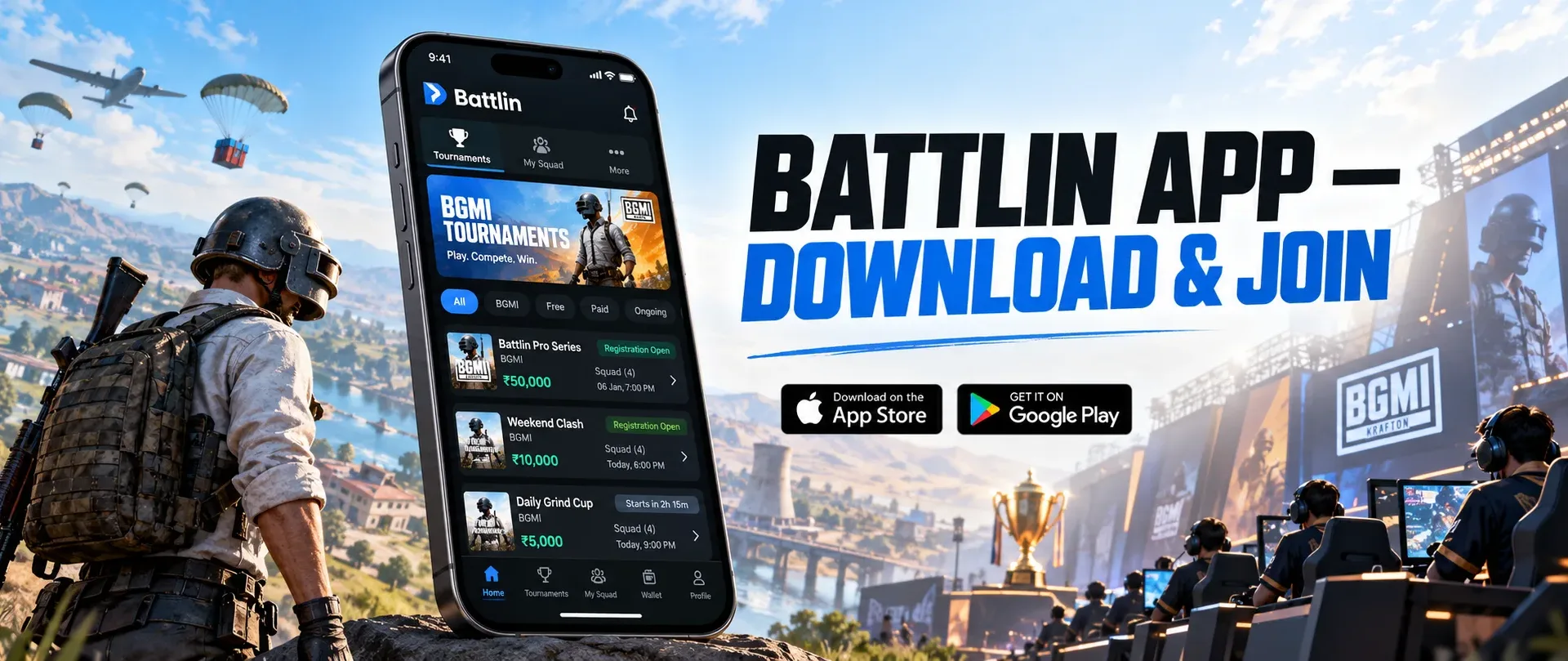
Download KRAFTON’s Battlin app on Android or iPhone and learn how to find BGMI tournaments, create a squad, register for competitions and follow match results.
For many aspiring BGMI competitors, finding a tournament is often harder than finding three friends willing to play. Registration links get shared across social groups, match schedules arrive through different channels, and important room details can be easy to miss.
KRAFTON’s Battlin app is designed to bring those pieces together.
Available for Android and iPhone, Battlin allows players to discover gaming tournaments, build squads, register for competitions and follow their progress through one platform. It also gives tournament organisers tools to manage their own events.
The platform has attracted particular attention because of Battlin Open Season 1, a BGMI competition carrying a ₹20 lakh prize pool and a qualification opportunity for the Battlegrounds Mobile India Series (BGIS).
If you want to download Battlin, set up your account or understand how to participate in a BGMI tournament, here’s what you need to know.
Battlin App at a Glance
| Detail | Information |
|---|---|
| App name | Battlin: Gaming Tournaments |
| Developer | KRAFTON, Inc. |
| Available platforms | Android, iPhone and iPad |
| Download price | Free |
| Main purpose | Gaming tournament discovery and management |
| Main competitive game at launch | Battlegrounds Mobile India (BGMI) |
| Account sign-in | Phone number |
| Squad management | Supported |
| Tournament registration | Supported |
| Match schedules and standings | Available within the app |
| Tournament hosting | Supported |
| Official website | https://www.battlin.gg/ |
Battlin is not a replacement for BGMI. It is a separate tournament application used to organise competitive participation. You’ll still need the relevant game installed to play its matches.
Battlin App Download for Android: Official Google Play Link
Android users can install Battlin directly from the Google Play Store.
Official Android download:
https://play.google.com/store/apps/details?id=com.battlin.arena
To install the app:
- Open the official Google Play listing.
- Check that the app name is Battlin: Gaming Tournaments.
- Verify that KRAFTON, Inc. is listed as the developer.
- Select Install if the app is available for your device.
- Open Battlin after installation.
- Follow the on-screen account setup instructions.
Using the verified store listing matters because tournament applications may handle player accounts, contact details and reward-related information.
There’s also a small inconsistency worth knowing about. Battlin’s official website still displays a coming-soon message for Android, even though its KRAFTON-published Google Play listing is live.
For Android installation availability, the Google Play listing is the more useful reference.
Avoid downloading unidentified Battlin APK files from third-party websites. An APK with a familiar logo does not establish that it came from KRAFTON.
Battlin App Download for iPhone and iPad
Battlin is also available through Apple’s App Store in India.
Official iPhone and iPad download:
https://apps.apple.com/in/app/battlin-gaming-tournaments/id6800169078
Follow these steps:
- Open the App Store on your iPhone or iPad.
- Search for Battlin: Gaming Tournaments, or open the official link above.
- Verify KRAFTON Inc as the developer.
- Tap Get and complete the usual App Store authentication.
- Launch the app and follow its sign-in process.
The current App Store listing specifies iOS 15.1 or later for iPhone and iPadOS 15.1 or later for iPad.
An older device running an unsupported software version may not be able to install the application.
The app is listed as free to download, but tournament eligibility remains subject to the rules of each competition.
How to Create a Battlin Account
Battlin’s published app information confirms support for phone-number sign-in and linked gaming profiles.
That means players should be able to establish an account without having to rely on a separate tournament organiser’s registration system.
The general setup process is:
- Open the Battlin application.
- Select the sign-in or account creation option provided.
- Enter your mobile number.
- Complete any verification requested by the app.
- Fill in the required player-profile information.
- Follow the process for linking your BGMI gaming account, where applicable.
The exact labels, verification screens and account-linking requirements may change between app versions.
Use your actual gaming information rather than entering a teammate’s details. Incorrect player information could create problems when a tournament organiser checks registrations or match results.
I would also recommend completing your profile before searching for an important competition. Discovering an incomplete account at the registration deadline is an avoidable inconvenience.
How to Join BGMI Tournaments Through Battlin
Once your account is ready, you can begin looking for tournaments.
Battlin’s official description confirms that its tournament system supports discovery, team registration, schedules, room information and final standings.
The following workflow is based on those published features, rather than an independently tested walkthrough of every app screen.
Step 1: Find an Available BGMI Tournament
Open Battlin and explore its tournament listings.
Look for BGMI competitions, then review their schedule, registration status, format and available slots.
The app supports tournament discovery by factors such as timing and remaining availability.
A listed event is not necessarily still accepting entries. Always inspect its current registration status before preparing your squad.
Step 2: Read the Tournament Rules
Do not register solely because the prize pool looks attractive.
Check the event page for information about eligibility, roster requirements, the competition format, registration deadlines and any additional instructions.
A tournament organised by KRAFTON may have different conditions from a smaller community event.
The app is intended to display rules for individual tournaments, so those rules should be treated as the primary reference.
Step 3: Create or Join Your Squad
Battlin includes team-management functionality for competitive participation.
KRAFTON’s current app release notes also state that squads can register up to six members.
However, this platform capability does not automatically establish that every BGMI competition permits six registered players. Individual events may impose their own active-player, substitute and roster limits.
Before registering, make sure every member of your squad meets the tournament’s eligibility and participation rules.
For a regular squad, it helps to settle basic responsibilities in advance: who manages registration, who communicates updates and who ensures everyone is available for scheduled matches.
Step 4: Link the Required Game Accounts
Follow the event’s instructions for identifying or linking participating BGMI accounts.
Accurate player details matter because tournament organisers need to match registered participants with the accounts used during competitive matches.
Double-check player identifiers and account details before submitting anything.
If an account cannot be linked, use Battlin’s official support channel rather than repeatedly registering under different information.
Step 5: Submit Your Tournament Registration
After selecting the desired competition and preparing the required roster, complete the registration process shown within the app.
Review the squad details, event track and rules before submission.
Do not assume that tapping a registration option guarantees acceptance. Some events may have limited places or additional verification requirements.
Check whether the app displays a confirmation or updated registration status.
Step 6: Follow Schedules and Room Details
Registration is only the beginning.
Battlin supports tournament schedules, match updates, communication and room information. Recent app updates also introduced a Group Stage area for room details and a Group Overall standings view.
Keep an eye on the event page as your competition approaches.
Room credentials, match timings and other operational information should be obtained from the official tournament interface rather than unverified messages.
Step 7: Check Results and Standings
After matches, Battlin is designed to provide progress and results information inside the platform.
Follow the published standings and any instructions regarding verification or disputes.
A result appearing on screen should not automatically be treated as a final prize settlement. KRAFTON states that rewards are distributed after results are confirmed.
What Can You Do Inside the Battlin App?
Battlin is being developed as more than a place to submit tournament entries.
Its usefulness comes from connecting several stages of competitive gaming.
Discover New Competitions
Players can browse available events and identify competitions that fit their schedules.
This could make smaller tournaments more accessible to people who do not already belong to established esports communities.
Manage Teams in One Place
Squad creation and roster organisation are built into the platform.
Instead of coordinating every registration detail through separate messages, teams can manage their participation through a shared system.
Communicate With Other Players
The application includes player messaging and tournament communication tools.
That is especially useful when schedules, team arrangements or event instructions change.
Follow Group Stages and Rankings
Recent updates added dedicated group-stage room information and improved standings functionality.
The app also includes player profiles and statistics, giving competitive activity a record that extends beyond a single match.
Participate in Additional Game Modes
Recent Battlin updates have introduced BGMI Team Deathmatch tournaments and a Chess Quick Match feature, expanding the app’s competitive options.
These additions suggest that the platform is expanding beyond its initial selection of competitive experiences.
Availability of individual modes and competitions still depends on what is currently listed inside the app.
Organise Your Own Tournament
Battlin provides tournament-hosting tools for communities, creators and other organisers.
Its advertised capabilities include creating event formats, opening registrations, arranging schedules, managing rooms and publishing results.
That may be useful for gaming communities seeking more structured competition.
For a simple single-elimination practice event, organisers can also try GamersVora’s independent Tournament Bracket & Match Scheduler. It supports smaller brackets, but it does not replace Battlin’s official BGMI tournament management system.
Battlin Open Season 1: The First Major BGMI Tournament
The initial Battlin Open competition provides an immediate reason for BGMI players to explore the platform.
KRAFTON has announced two tournament tracks with a combined ₹20 lakh prize pool.
| Detail | Battlin Open Season 1 |
|---|---|
| Registration deadline | November 1, 2026 |
| Competition starts | November 2, 2026 |
| Track 2 finale | November 29, 2026 |
| Available registration slots | More than 5,000 |
| Track 1 prize pool | ₹5 lakh |
| Track 2 prize pool | ₹15 lakh |
| Additional reward | BGIS qualification slot for the Track 1 winner |
The distinction between the two tracks is important.
Track 1 includes the announced BGIS qualification opportunity, while Track 2 carries the larger prize pool and concludes with the inaugural Battlin Open champion being crowned.
KRAFTON’s launch announcement confirms a BGIS slot, although the precise qualification stage has not been established in the public announcement. The opportunity has also been reported in connection with BGIS 2027.
For more details about the tournament’s prize pool, registration process and match schedule, check out GamersVora’s Battlin Open Season 1 registration guide.
Players should not confuse the November 1 deadline with guaranteed slot availability. Available places can change as registration progresses.
Is Battlin Free to Use?
The Android and iPhone apps are free to download.
KRAFTON’s published app descriptions also promote free-to-enter tournaments.
However, the wider Battlin website describes event-creation options that include configurable entry fees. That makes it important to distinguish the current free-to-enter tournament offering from every event that might be hosted on the platform.
Before joining any competition, check the entry conditions displayed on its official page.
For Battlin Open Season 1, consult the event-specific rules rather than assuming that every tournament follows identical policies.
KRAFTON has also stated that Battlin’s official launch competition operates without wagering, staking or betting mechanics.
Common Battlin App Problems and What to Check
Battlin App Not Showing on Google Play
Start with the verified Play Store link rather than searching through unrelated APK websites.
Check your Play Store country, device compatibility and whether any installation restrictions are active.
If the store does not offer installation, that does not necessarily mean the application has been withdrawn. Availability may depend on your device or account.
Unable to Sign In
Confirm that you are using the intended mobile number and have followed the verification instructions.
Check your internet connection and whether the app has a pending update.
Avoid sharing one-time verification codes with anyone claiming to be a tournament administrator.
BGMI Account Not Linking
Verify that the submitted game information matches your actual BGMI account.
If the app rejects the information, contact official support with a description of the error.
Do not share account passwords or sensitive verification details through public comments or unrelated messaging groups.
Tournament Registration Is Unavailable
Several explanations are possible: registration may have closed, the tournament may be full, or the event may have additional participation conditions.
Check its current status and rules.
Do not assume that a published closing date guarantees availability until the final minute.
Match Information Is Missing
Check whether the tournament has reached the stage at which room details or schedules are being released.
Update the application and review the relevant event section.
If information remains unavailable close to the scheduled match, contact the organiser through the official channels supplied by the platform.
Battlin’s Google Play support contact is support@battlin.gg.
What New Players Should Know Before Registering
Battlin’s biggest convenience is also something players should approach carefully: much of the tournament process depends on the information stored in one application.
Make sure your account details, squad roster and event selection are correct.
Read the tournament’s rules rather than relying on general announcements.
Eligibility also deserves attention. Although Apple’s store listing carries a 13+ age rating, KRAFTON’s App Store description says Battlin is intended for players aged 16 and above. Individual tournaments may have further restrictions.
The app’s store rating should therefore not be treated as confirmation of esports eligibility.
Players should check the applicable terms and event rules before joining.
Finally, remember that Battlin manages competitions. It does not automatically make a player eligible for BGIS or guarantee prize money simply for registering.
Frequently Asked Questions
Is the Battlin app available for Android?
Yes. KRAFTON’s official Battlin application is listed on Google Play. Players should use the verified store listing instead of downloading APK files from unknown websites.
Can I download Battlin on an iPhone?
Yes. Battlin is available on Apple’s Indian App Store for compatible iPhones and iPads. The listing requires iOS or iPadOS 15.1 or later.
Is Battlin the same as BGMI?
No. BGMI is the game, while Battlin is a separate platform for organising and participating in gaming tournaments.
Do I need a team to join Battlin tournaments?
That depends on the event format. Battlin supports squad registration, but individual tournament rules determine whether participation is solo, team-based or another format.
Can I register for Battlin Open Season 1?
Registration is scheduled to remain open through November 1, 2026, subject to available slots and applicable eligibility requirements. Check the event directly inside Battlin for its current status.
Can I win real money through Battlin?
Battlin supports tournaments with rewards, including announced prize pools. Winning, eligibility verification and payouts depend on the applicable event rules and confirmed results. No prize is guaranteed simply for participation.
Does Battlin support BGMI Team Deathmatch?
Yes. KRAFTON’s latest app update notes list BGMI Team Deathmatch tournaments among the supported additions. Check the application for currently available competitions.
How do I contact Battlin support?
The official Google Play listing identifies support@battlin.gg as the application support email.
Final Thoughts: Is Battlin Worth Downloading for BGMI Players?
For anyone interested in organised BGMI competition, Battlin addresses a practical problem.
Finding a tournament should not require knowing the right person, joining several messaging groups or chasing room details shortly before a match.
Putting registrations, squads, schedules and results into one place is a sensible approach.
What matters now is execution.
The platform needs accurate schedules, clear rules, dependable account management and transparent results if players are going to trust it for meaningful competition.
Battlin Open Season 1 will be an early opportunity to see how those systems perform when thousands of registrations and competitive matches move through the platform.
For aspiring players, the best starting point is straightforward: download the official application, complete your account information, read the relevant event rules and register only when you understand what participation requires.
Trusted Sources
- KRAFTON — Battlin App on Google Play
https://play.google.com/store/apps/details?id=com.battlin.arena - KRAFTON — Battlin App on Apple App Store
https://apps.apple.com/in/app/battlin-gaming-tournaments/id6800169078 - Battlin — Official Platform Website
https://www.battlin.gg/ - KRAFTON — Official Battlin Launch Announcement (October 17, 2026), via PTI
https://www.ptinews.com/press-release/krafton-introduces-%E2%80%98battlin%E2%80%99-to-unify-competitive-gaming-in-india%3B-tournament-discovery-hosting-and-transparent-rewards-on-one-platform%3D/4174576 - GamersVora — Battlin Open Season 1 Registration News
https://gamersvora.com/news/battlin-open-season-1-registration-prize-pool-bgis-2027/

Sign in to Comment
Join the Gamersvora community
Create a free account or sign in to comment and reply. This keeps conversations safer and reduces spam.